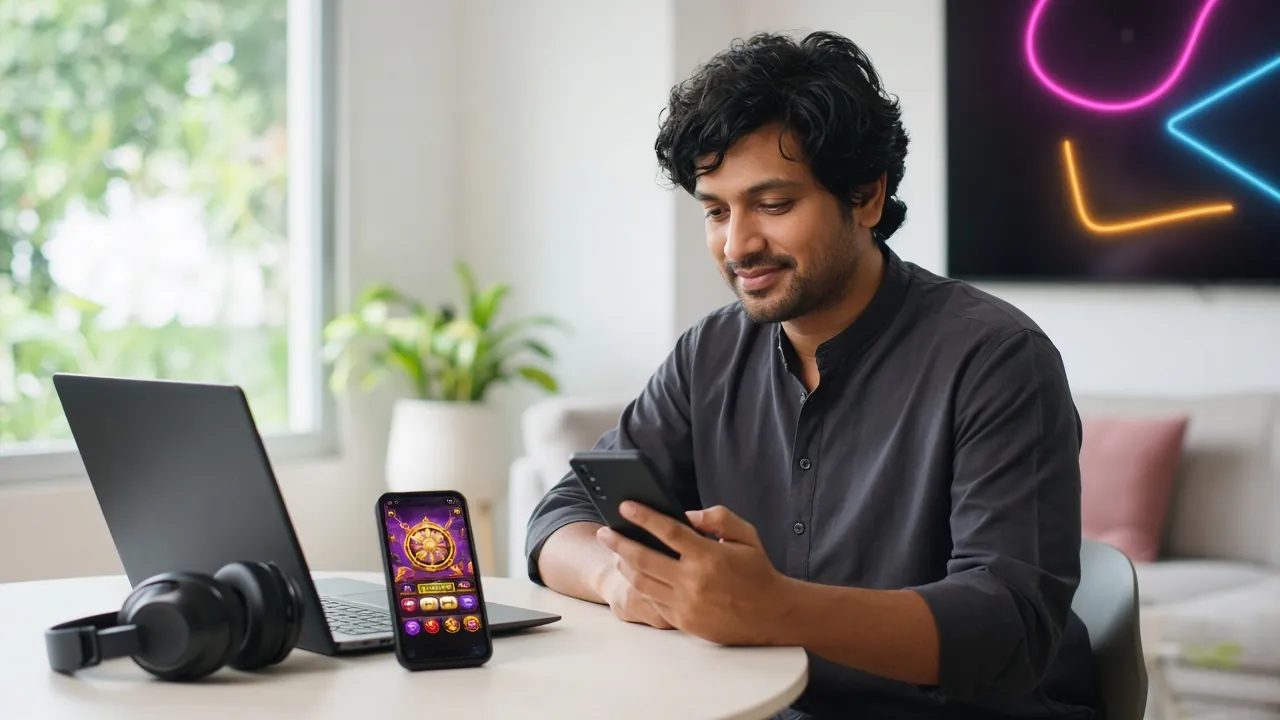
Download the hasanbet App — Play Anywhere in Bangladesh
The hasanbet app puts the full casino lobby, live cricket betting and instant bKash deposits into one 52 MB APK file. No browser, no slow loading — just open and play. Works on Android 7.0 and above. It is free to download.
- SSL Encrypted
- Android 7.0+
- 24/7 Support
- 18+ Only
Scan to download
App vs Browser — What Is Actually Different on Match Night?
Both options work, but the hasanbet app behaves differently from the mobile browser in ways that matter when you are on a slow connection during a live match. Here is an honest comparison of the key differences.
| Feature | hasanbet App (APK) | Mobile Browser |
|---|---|---|
| Page Load Speed | Cached assets load offline — lobby opens even on 2G | Full page reload on every visit; slower on weak signal |
| Data Usage | Lower — UI assets stored locally, only game data is fetched | Higher — every session reloads CSS, images and scripts |
| Push Notifications | Match alerts, bonus reminders | Not available |
| Deposit via bKash / Nagad | One-tap redirect to wallet app | Works, extra browser steps |
| Live Casino Stream Quality | Optimised video buffer — fewer interruptions | Standard browser video — may stutter mid-stream |
| Biometric Login | Fingerprint / face unlock | Password only |
| Requires Installation | Yes — enable Unknown Sources once | No — open URL and play |
| Available on Google Play | Direct APK only | N/A |
| Minimum Deposit | ৳150 — same as web | ৳150 |
| Withdrawal Processing | Same — within 10 minutes via bKash / Nagad | Same — within 10 minutes |
Both app and browser give you the same bonuses, game library and payment options. The app wins on speed and convenience; the browser wins if you just want to try without installing anything.
What Can You Play Inside the hasanbet App?
Slots — Over 5,400 Titles
The app carries the full slots catalogue from Pragmatic Play, JILI, Habanero, KA Gaming and others. Monster Plinko, Rooster Rumble, Nine and Treasures of Aztec are all here. Min bet starts at ৳1. The lobby loads in under three seconds on a 4G connection.
Live Casino — Real Dealers
Ezugi and Playtech power the live tables. Play Teen Patti, roulette, baccarat and andar bahar with real dealers streaming to your phone. The app buffers video more smoothly than the browser because the UI is already cached on your device.
Crash Games — Aviator & More
Aviator by Playtech runs at RTP 97.6% and accepts bets from ৳10. Spribe's Tower and Ways of the Qilin sit in the same crash lobby. The app's low latency matters here — a half-second delay on cash-out can cost you the round.
Cricket & Sports Betting
IPL, BPL, T20 World Cup and ODI series are all covered. Live in-play odds update in real time on the app. You get push notifications before major matches so you do not miss the toss. See the IPL betting guide.
Fishing Games
Relax Fishing (Ezugi, RTP 97.4%), Star Fishing and Bingo Fishing are popular on commutes — short sessions, clear win feedback. The app maintains the full-screen fishing canvas better than the mobile browser, which often resizes on keyboard pop-up.
Deposits & Withdrawals In-App
bKash, Nagad, Rocket, Upay and Bank Transfer all work inside the app. Deposits reflect in about 1 minute. Withdrawals go out within 10 minutes. The minimum deposit is ৳150. Log in to reach your wallet instantly.


Inside the App
Is the APK Safe? Security & Permissions
The APK is built and signed by hasanbet's development team. Because it is not distributed through Google Play, Android will ask you to allow "Unknown Sources" one time. Here is what the app requests and why.
256-bit SSL on Every Request
All traffic between the app and hasanbet's servers is encrypted with TLS 1.3. This covers your login credentials, deposit requests and personal data. The certificate is validated on each connection — the app will not proceed if it detects an invalid certificate, protecting you from man-in-the-middle attacks on public Wi-Fi.
Permissions the App Actually Uses
The app requests: Internet (required), Vibration (bet win feedback), Camera (optional — QR code scanner for deposit), Storage (optional — save payment receipts). It does not request access to Contacts, Microphone or Location. If you deny optional permissions the app still works fully. Review permissions at any time in Android Settings.
Signed APK from the Official Source
Only download hasanbet.apk from hasanbet.one/download/hasanbet.apk. Third-party APK sites may repackage the file with adware or credential-harvesting code. After downloading, Android shows the app signature — it should say "hasanbet" as the developer. Do not install if the signature is missing or different.
Automatic Security Updates
When a new version is available, the app shows an in-app update banner the next time you open it. You tap "Update", download the new APK from the same official URL, and install over the existing version — your account, balance and settings are preserved. Current version is 3.7.20, updated 2026-11-13. Do not delay updates; they often include security patches.
App — System Requirements and Version Details
Before downloading, check these specs. The app runs well on budget Android phones — it does not need a flagship device.
| Specification | Detail |
|---|---|
| Current Version | 3.7.20 |
| File Name | hasanbet.apk |
| File Size | 52 MB |
| Minimum Android | Android 7.0 (Nougat) or newer |
| Last Updated | 2026-11-13 |
| Price | Free |
| Languages | English, Bangla |
| iOS Support | No native app — use Safari PWA (see below) |
Download Now
Tap the button below on your Android phone. The download starts immediately — no sign-up needed to download, but you will need a hasanbet account to play.
Download hasanbet.apk No Account Yet? Register Free- Games Available
- 5,400+
- Min Deposit
- ৳150
- Withdrawal
- 10 min
- Welcome Bonus
- 165%
How to Install hasanbet APK on Android — 5 Steps
The whole process takes about three minutes. Step 2 is the only Android-specific setting you need to change — and you can switch it back off afterwards if you prefer.
-
1
Allow Unknown Sources on Your Phone
Go to Android Settings → Security (or Privacy on Android 10+) → Install Unknown Apps. Find your browser (Chrome or Samsung Internet) in the list and toggle "Allow from this source" to ON. This is a one-time step. Without it, Android blocks any APK that did not come from the Play Store. You can turn it off again after installation if you wish.
-
2
Download the hasanbet APK File
Open this page on your phone's browser and tap the "Download hasanbet.apk" button above. The file is 52 MB — it takes around 30 seconds on a standard 4G connection. Wait for the download to complete before proceeding. You will see a notification in your status bar when it finishes. Do not download from any other site.
-
3
Open the Downloaded File
Tap the "Open" prompt in your browser's download notification, or open your phone's Files app, navigate to Downloads, and tap hasanbet.apk. Android will show an installation screen with the app name, icon and the permissions it needs. Review the permissions — Internet access is required; Camera and Storage are optional. Tap "Install".
-
4
Wait for Installation to Complete
The installation takes about 15 seconds. Android unpacks the APK, writes the app files to storage and registers it in your app drawer. When the screen shows "App installed", tap "Open" to launch the hasanbet app immediately. If you see "Installation blocked", double-check that you enabled Unknown Sources for the correct browser in Step 1.
-
5
Log In or Register Your Account
On first launch, tap "Log In" if you already have a hasanbet account, or tap "Register" to create a new one in under two minutes. After logging in, you can deposit from ৳150 via bKash or Nagad, claim your welcome bonus and start playing. See the login guide or the registration page for step-by-step help.
iPhone / Safari — Add to Home Screen
hasanbet does not have a native iOS app. iPhone users can save the site to their Home Screen for a near-app experience — full screen, no browser bars.
-
1Open hasanbet.one in Safari (not Chrome — only Safari supports Add to Home Screen properly on iOS).
-
2Tap the Share icon (the square with an arrow pointing up) at the bottom of the Safari toolbar.
-
3Scroll down the share sheet and tap "Add to Home Screen". Give it the name "hasanbet" and tap Add.
-
4The hasanbet icon now appears on your Home Screen. Tap it to open in full-screen mode with no browser navigation bars.
All games, deposits and withdrawals work the same way through this shortcut. bKash payments open your wallet app in the usual way.
Common hasanbet APK Installation Problems
If the installation does not go smoothly, one of these five issues is almost always the cause. Check the fix column before contacting support.
| Problem | Most Likely Cause | How to Fix |
|---|---|---|
| "Installation blocked" message | Unknown Sources is disabled for the browser you used to download the file, or a different browser is set as the installer. | Go to Settings → Security → Install Unknown Apps. Find the exact browser (e.g. Chrome) that downloaded the APK — not just any browser — and enable it. Then retry the install by tapping the APK in your Downloads folder. |
| App crashes immediately on launch | The APK download was interrupted or corrupted. This can happen when your internet drops mid-download. | Delete the hasanbet.apk file from your Downloads folder, then download it again from hasanbet.one. Make sure your connection is stable during the download. Check the file size is 52 MB — a smaller file means the download cut short. |
| "Parse error" during installation | Your Android version is below 7.0, or the APK was downloaded from a third-party site and is a different or modified version. | Check your Android version in Settings → About Phone → Android Version. If it is below 7.0, the hasanbet app is not compatible — use the mobile browser instead. If your version is 7.0 or above, re-download only from hasanbet.one. |
| App installed but shows a blank / white screen | Slow internet on first launch — the app needs to fetch initial data from the server. Sometimes a cached outdated file is the cause. | Make sure you have a working internet connection, then force-close the app (Recent Apps → swipe away) and reopen it. If the blank screen persists, uninstall, clear your browser cache, and reinstall the freshly downloaded APK. |
| Cannot log in — "Invalid credentials" error | Typing error in username or password, or you are trying to log in before completing account registration. | Use the "Forgot Password" link on the login screen to reset via your registered mobile number. If you have not registered yet, tap Register and complete sign-up first — it takes about two minutes. See the registration guide for help. |
Still stuck? The hasanbet 24/7 Live Chat button is inside the app on the main menu, or accessible on the website. Describe your Android version and the exact error message for the fastest response.
Get the hasanbet App — One Tap to the Full Lobby
-
Cached assets — faster on match night
UI loads from local storage. Even on a 2G connection during a live IPL match, the lobby opens in seconds instead of waiting for a full page reload.
-
Push alerts for live matches and bonuses
Get notified when your bKash deposit lands, when a match goes live, or when a limited bonus is available. The browser cannot do this.
-
Biometric login — no password every time
Use fingerprint or face unlock to sign in. Your session stays secure and you skip the keyboard entirely on every visit.
-
One-tap bKash and Nagad deposits
The app redirects straight to your wallet. Deposits clear in about 1 minute — same speed as the browser but with fewer taps.
Scan to download on your phone
Questions Players Ask Before Installing the App
Is the hasanbet APK safe — will it harm my phone?
The hasanbet APK downloaded directly from hasanbet.one is safe. It is the official build signed by hasanbet's team. The app requests only the permissions it needs — Internet access is the only mandatory one; Camera and Storage are optional. It does not access your contacts, messages or location. All data is sent over TLS 1.3 encryption. The risk comes from downloading APKs from unofficial third-party sites, which may bundle malware. Always use the direct link on this page: /download/hasanbet.apk.
The install fails with "App not installed" — what do I do?
This error usually means the APK is corrupted (incomplete download) or your phone already has a different version of the app that conflicts. First, try: delete any existing hasanbet app, delete the APK from Downloads, reconnect to a stable Wi-Fi or 4G network, and download fresh from this page. If it still fails, restart your phone and install again. If the error persists after two clean attempts, contact 24/7 Live Chat with your Android version and device model.
How do I update the hasanbet app when a new version is released?
When a new version is ready, you will see an "Update Available" banner the next time you open the app. Tap the banner — it takes you directly to the download link for the new APK. Download and install it over your existing version (no need to uninstall first). Your account, balance, game history and settings are all preserved. If you miss the in-app notification, you can always re-download from this page — installing a newer APK over an older one is safe and straightforward.
Does the hasanbet app work on a low-end Android phone?
Yes. The app is optimised for budget devices. The minimum requirement is Android 7.0 — which covers most phones made after 2017. It is designed to run on 2 GB RAM devices. Crash games and live casino streams perform best on 4G; on slower connections the app will automatically lower the video resolution to keep the stream running without buffering. Slots and sports betting work well even on 3G. If your phone is very old (Android 5 or 6), use the mobile browser version at hasanbet.one instead.
Can I use bKash and Nagad to deposit inside the app?
Yes, all five payment methods work inside the hasanbet app — bKash, Nagad, Rocket, Upay and Bank Transfer. When you initiate a deposit, the app redirects you to the corresponding wallet app if it is installed on your phone (for example, the bKash app), or opens a payment screen inside the app. Deposits are confirmed within about 1 minute. The minimum deposit is ৳150. Withdrawals go to your bKash or Nagad account within 10 minutes. See the casino page for more on the game lobby after you deposit.
Is there an app for iPhone (iOS)?
There is no native iOS app for hasanbet at this time. iPhone users can use the mobile website through Safari — the site is fully responsive and works well on iOS. You can also add it to your Home Screen via Safari's Share → "Add to Home Screen" to get a full-screen experience without browser bars. All games, payments and account features are available this way. An iOS app may be released in a future update — check this page for announcements.
Will installing the APK void my phone's warranty or violate Google's terms?
Installing an APK from outside Google Play does not void your phone's hardware warranty. The Android operating system is designed to support sideloading (installing apps from sources other than the Play Store) — that is why the "Unknown Sources" option exists. It does not modify your phone's firmware or remove any built-in protections. Google Play Protect may show a warning when you install, which is standard for all sideloaded apps — you can choose "Install anyway". Your device's warranty from the manufacturer remains unaffected.